Save 30% yearly

Platinum Blonde Filter — Find Your Shade

Compare six very pale blondes, from icy white to warm bleached yellow, plus platinum with a shadow root. Try one on your photo and check it against your original before deciding.

No photo handy? Try a sample:

Choose a Platinum Shade

All 59 shades and custom colors

Selected:Platinum blonde

Use a clear, evenly lit photo with your hair and brows visible. Check the preview against your original.

6 pale blonde shades · Your photo, your choice · Credits shown before generation

THE PLATINUM PALETTE

Six Platinum Shades on One Photo

Very pale shades differ mostly in undertone and at the root. Select one to see its character, then preview it on your own photo.

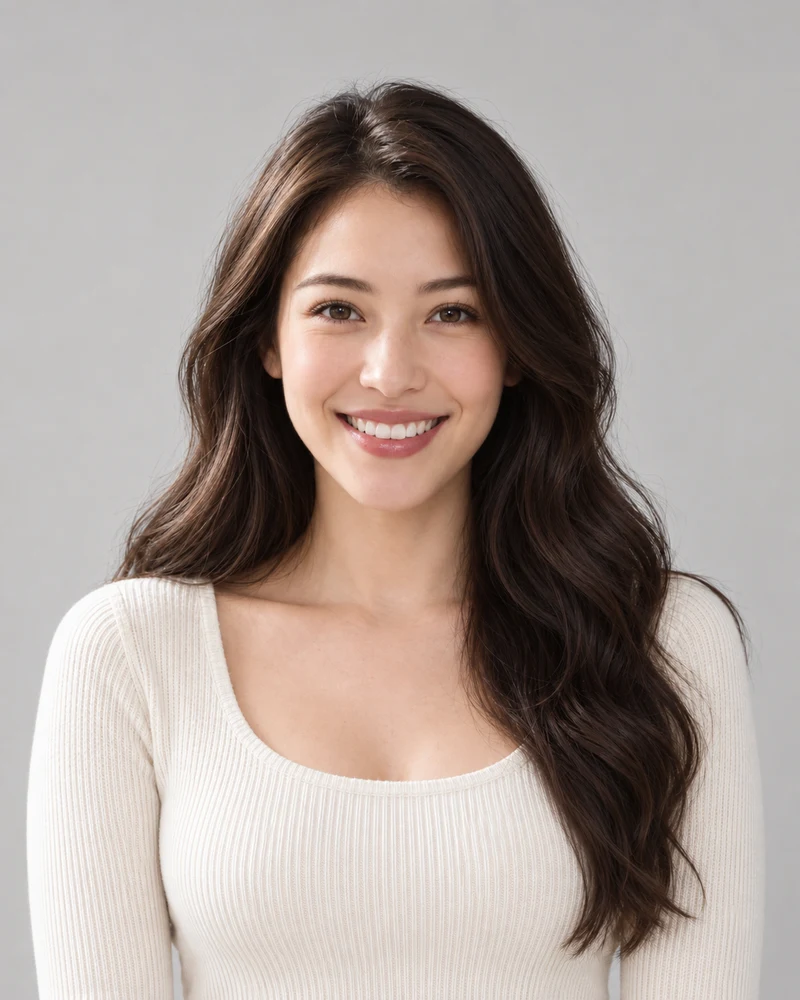
The example model with her original dark brown waves

Original

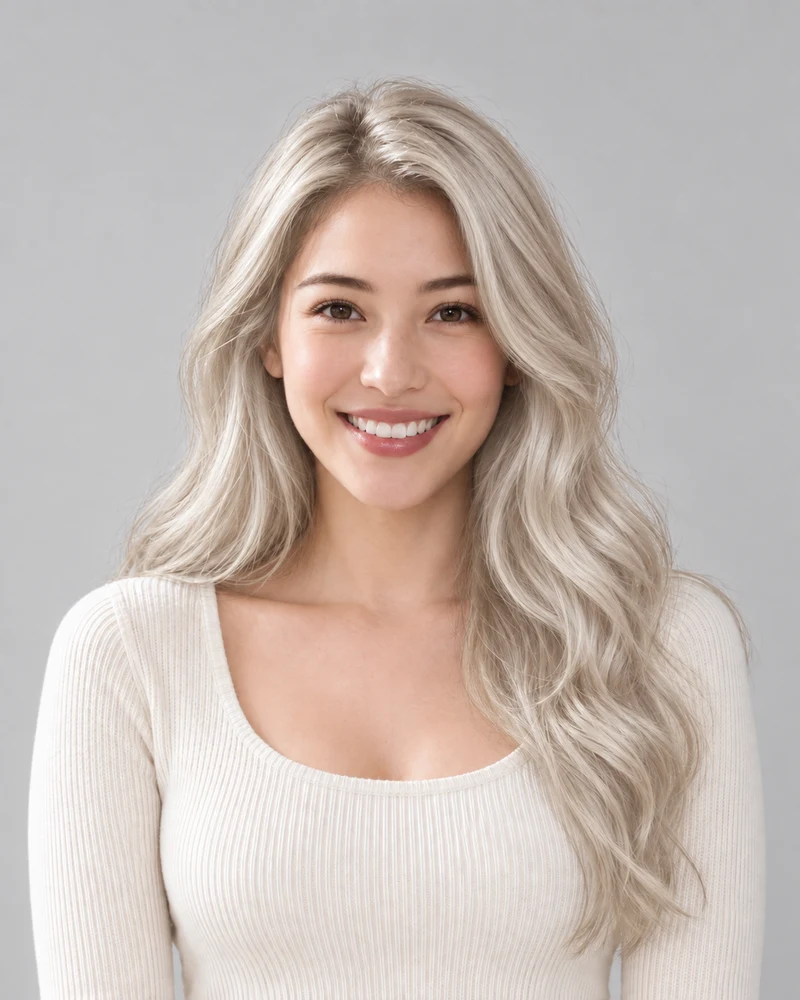
An AI example of the same model with Platinum blonde, in matching pose and lighting

Platinum blonde

AI examples on one model. Your preview depends on your photo; it is not a prediction of a salon result.

Platinum blonde

A very pale, cool blonde with no yellow brassiness. Against dark brows it makes a strong contrast, so look at your whole face in the preview.

Compare: platinum and icy white to decide how white you want to go.

Select a shade to update the palette and tool. Platinum with shadow root keeps platinum lengths; its root is compared in the next row.

Swatches show each shade's midtone; real hair adds highlights and shadow.

01 · PALE UNDERTONES

Platinum Blonde Undertones

These shades all sit at the lightest end of the depth scale, so what separates them is undertone. Ordered from whitest to most yellow, the swatches show the difference side by side; select one to update the tool above.

  • Icy white and pearl are the least yellow: icy white reads almost white, while pearl adds a faint pink-violet sheen.
  • Champagne adds a soft beige-gold; bleached blonde is the pale yellow that lightened hair can show before any toner.
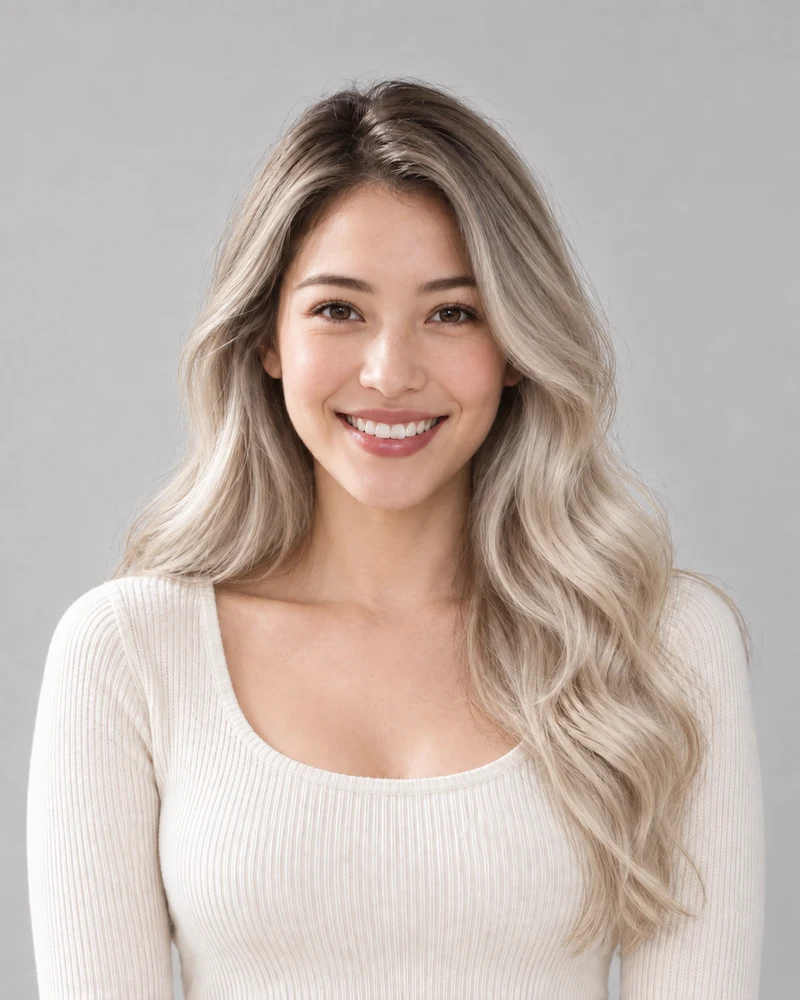
A close crop of the part, hairline and brows with Platinum blonde on the same model
Platinum blonde
A close crop of the part, hairline and brows with Platinum with shadow root on the same model
Platinum with shadow root
Matching crops from the same AI example model, with no added color filters.

02 · ROOTS AND BROWS

Shadow Root or Full Platinum

With very pale hair, dark eyebrows become the deepest color near your face. Full platinum keeps the part as light as the ends; a shadow root keeps a short band of soft dark brown at the roots that blends into the pale lengths.

  • Look at the part, hairline and brows together: that is where the two options differ most.
  • Previews aim to keep your natural brows, so you judge the real contrast rather than matched brows.
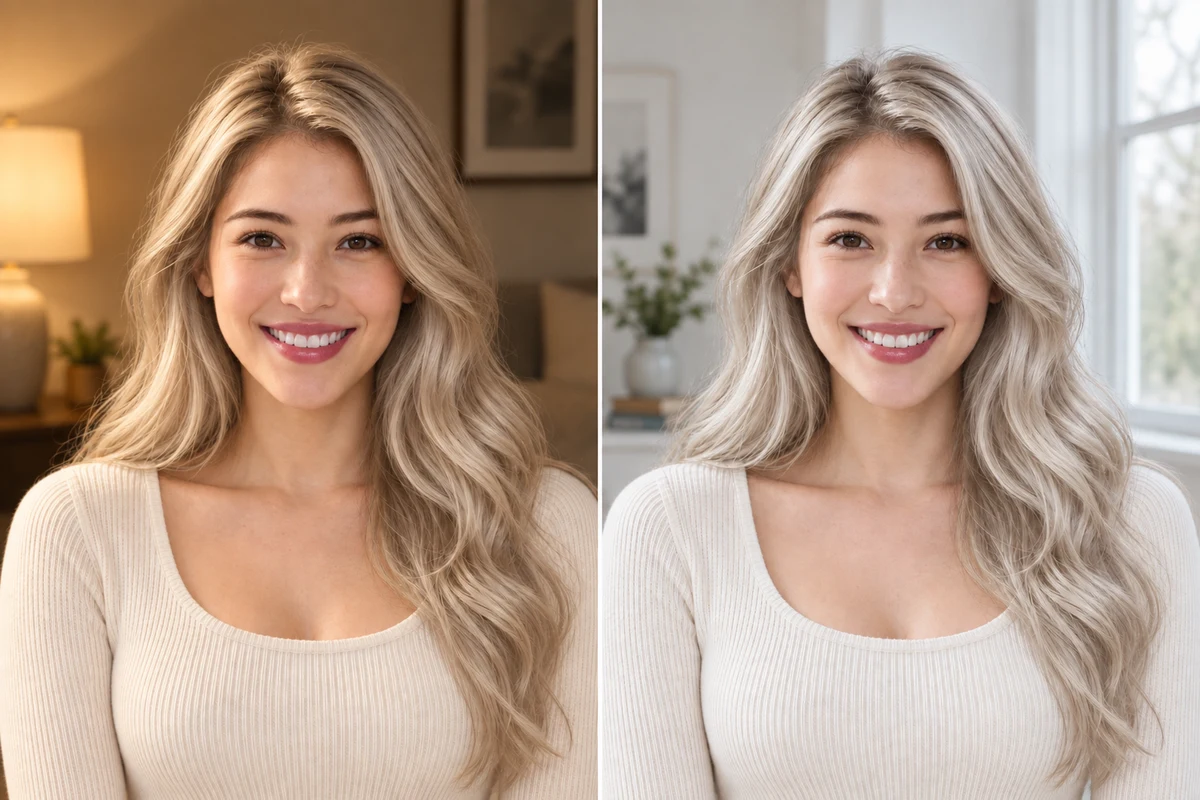
The same woman with platinum hair shown in warm lamp light on the left and in soft window daylight on the right
AI illustration: the same platinum hair in warm lamp light and in daylight.

03 · LIGHT IN YOUR PHOTO

Bleached Hair in Different Light

The palest shades reflect a lot of light, so they take on its color more visibly than darker hair. A warm lamp can make platinum look creamy or yellow, while shade and cool screens can push it toward gray or blue.

  • Upload a photo taken facing soft daylight, without colored lights or beauty filters.
  • Judge undertones by comparing previews from the same photo, not photos taken in different light.

Your Platinum Preview in Three Steps

One evenly lit photo, one selected pale shade, and an original to compare with.

1

A Clear Starting Photo

Upload a portrait in soft, even light with your hair and brows visible, or choose a sample.

2

Your Selected Pale Shade

Choose one of six shades. Review the credit cost before generating your preview.

3

A Side-by-Side Decision

Compare the result with your original and download a reference to keep.

Bleached Hair Filter Details

Photo tips, pale shade choices and what to expect from a preview.

Upload a portrait, select one of the six pale shades and generate a preview. Use the result comparison to check the change against your original.

Here, bleached blonde is the pale yellow-blonde that lightened hair can show before any toner. Platinum, icy white and pearl are cooler, whiter finishes, and champagne sits between them with a soft beige-gold.
The preview can show a very pale target on a dark-haired photo. It does not assess your hair's condition or color history, or show how your hair would lighten; ask a colorist what is realistic for you.

The edit aims to keep your eyebrows as they are, so the preview shows the contrast between your brows and very pale hair. If it feels strong, compare full platinum with the shadow root option on the same photo.

Icy white reads almost white with no visible yellow, pearl adds a faint pink-violet sheen, platinum is pale and cool, and champagne is a softer beige-gold. Try a cool and a warmer option on the same photo rather than treating a skin-tone label as a rule.

Very pale hair shows the color of the light around it more than darker hair does. Warm bulbs can make it look yellow, while shade or a cool screen can push it toward gray or blue. Start from an evenly lit photo and compare shades on that same photo.

This bleached hair filter edits a still photo instead of a live camera feed, so you can compare the result with your original and save it. Lighting and image quality still affect how the shade reads.

Browsing shades is free. Photo generation uses credits; check the amount shown on the generate button and your account balance before starting.

Upload a male portrait or choose the male sample. Pale shades stand out against dark brows and facial hair, so compare the result with your original.

These six options are overall pale shades. Use Highlights for lighter pieces on a darker base, the Pink hair filter for pastel pink, and Hair color simulator to explore a custom depth and tone.

Still have a question? Email us at support@haircolorchangeai.com.

Try Platinum on Your Own Photo

Choose a pale shade and see a preview before deciding on a change.