Save 30% yearly

Highlights Filter — Find Your Placement

Explore six highlight styles, from fine babylights to a face-framing money piece. Try one on your photo and compare where the lighter color falls before choosing a change.

No photo handy? Try a sample:

Choose a Highlight Style

All 59 shades and custom colors

Selected:Balayage

Use a clear photo with your hair down and the front sections visible. Check the preview against your original.

6 highlight styles · Your photo, your choice · Credits shown before generation

SIX HIGHLIGHT STYLES

Six Highlight Styles on One Photo

Each style lightens a different part of the hair and keeps a different amount of the base color. Select a style to see where it places the lighter color, then preview it on your own photo.

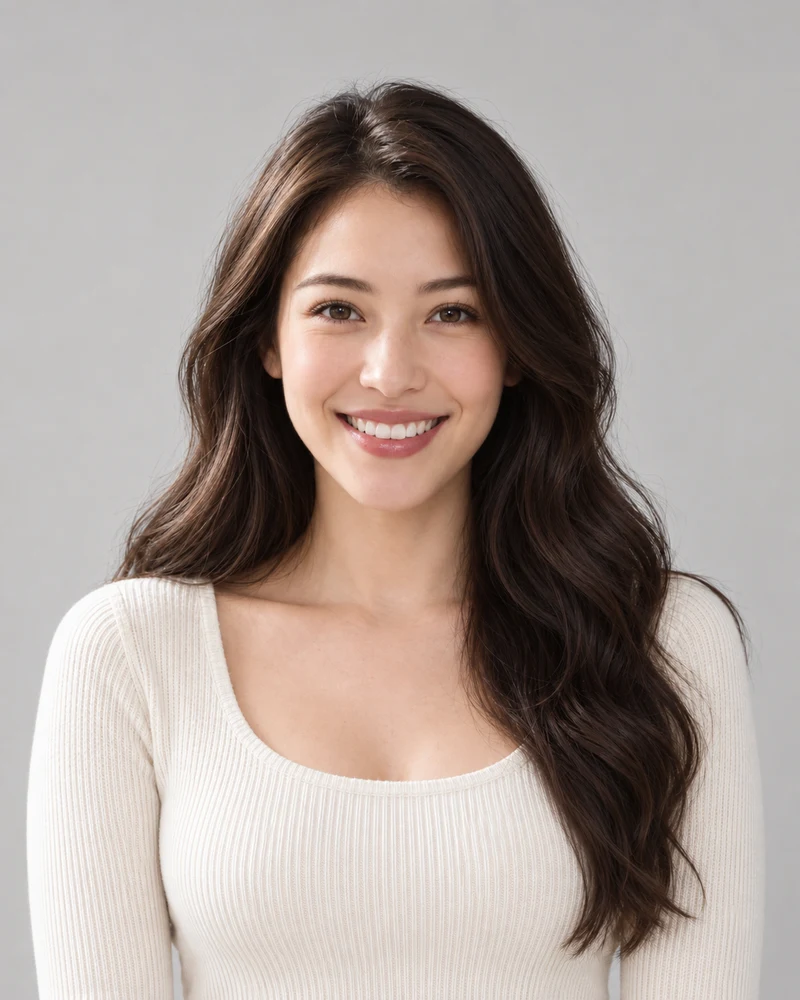
The female example model with her original dark brown waves

Original

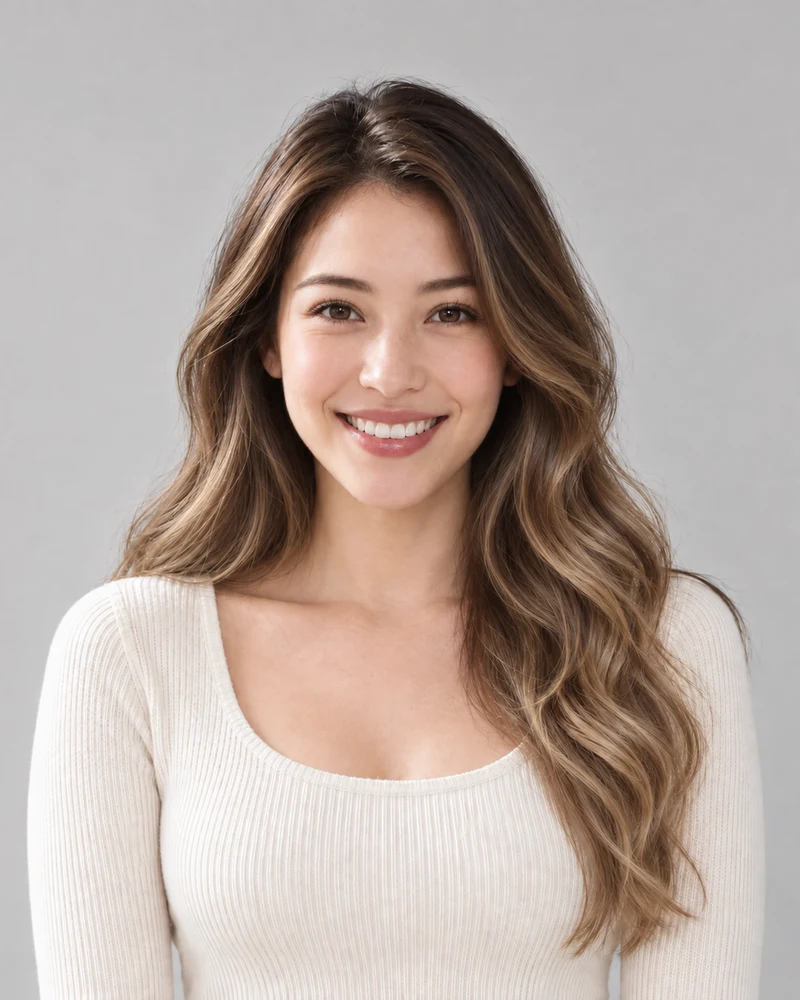
The same model previewing Balayage with matching pose and lighting

Balayage

AI examples on one model. Your preview depends on your photo; it is not a prediction of a salon result.

Balayage

Lighter color painted onto the mid-lengths and ends, melting from dark roots into caramel and honey tones. The roots keep the base color.

Compare: balayage and ombré to see painted pieces versus an even fade.

Base color keptLighter color

Top of each sketch: roots and parting; bottom: ends. Select a style to update the palette above.

Simplified sketches drawn in each style's colors; real placement varies with the cut and the colorist.

01 · PLACEMENT

Highlights from Roots to Ends

Each sketch shows where a style places the lighter color and how much of the base stays. Select one to update the comparison and the tool above.

  • Woven highlights and babylights run from the roots; balayage and ombré keep the roots in the base color.
  • Piece size matters as much as color: very fine babylights blend in, while a money piece puts the brightness beside the face.
Original
Roots in the original portrait
Mid-lengths in the original portrait
Ends in the original portrait
Balayage
Roots in the Balayage example
Mid-lengths in the Balayage example
Ends in the Balayage example
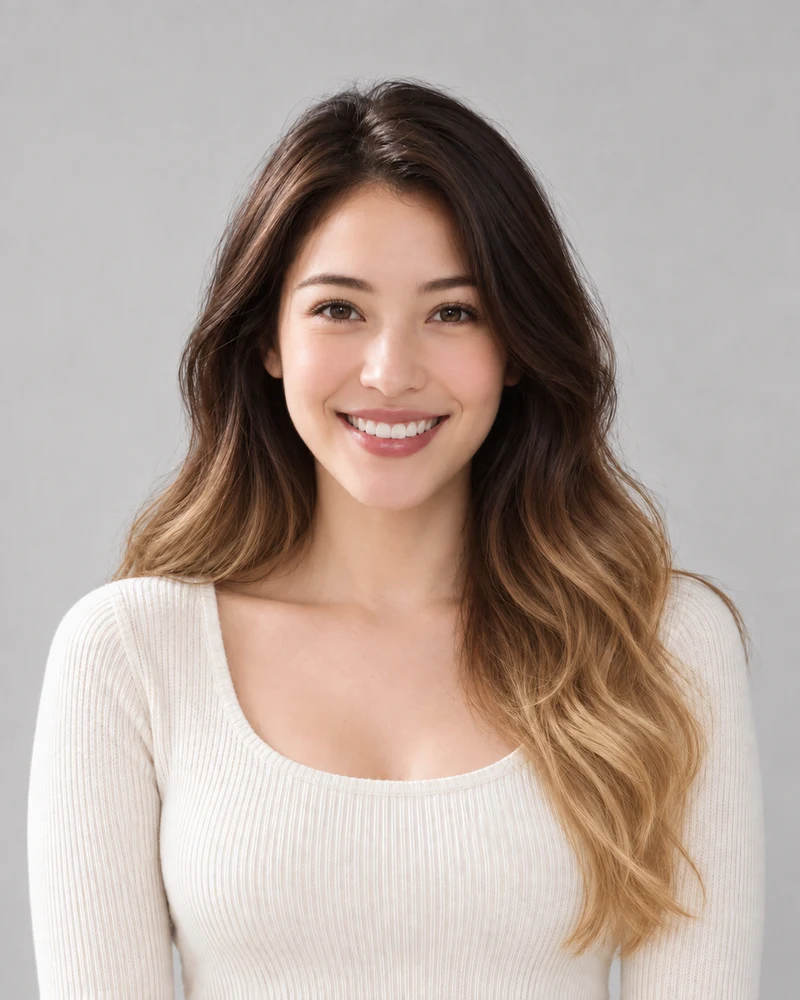
Ombré
Roots in the Ombré example
Mid-lengths in the Ombré example
Ends in the Ombré example
Crops from the same AI example portraits at matching positions, with no added color filters.

02 · A CLOSER LOOK

Balayage vs Ombré, Up Close

Crops from the same model at three matching heights. The balayage keeps her dark roots and mixes lighter painted pieces into the lengths, brightest at the ends. Ombré works differently: every strand fades together from a darker top to lighter ends.

  • Both keep the base at the roots; they differ in whether the lighter color arrives in pieces or as one fade.
  • Compare the roots with the original: that is the base color these styles keep.
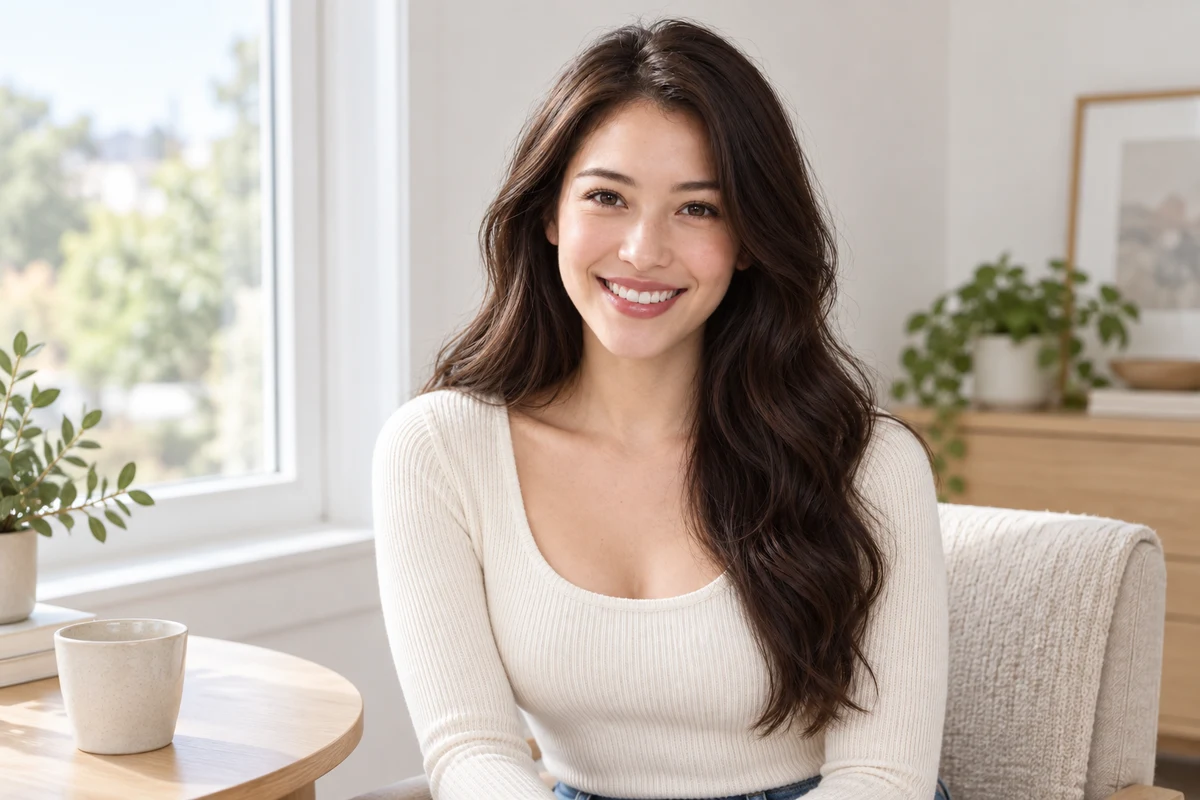
The same woman seated by a window in even daylight, her dark brown hair worn down with the face-framing sections and lengths visible
An AI illustration of a clear starting photo.

03 · YOUR PHOTO

Keep Your Highlights in Frame

A preview can only place color on hair the photo shows. Wear your hair down, keep the front sections beside your face and include the lengths, in even light.

  • Money pieces and babylights sit at the face; balayage and ombré are brightest at the ends. Keep both areas visible.
  • Hats, tied-back hair and strongly colored light can hide or tint the pieces.

Your Highlights Preview in Three Steps

One photo, one selected style, and an original to compare with.

1

A Clear Starting Photo

Upload an evenly lit portrait with your hair down and the front sections visible, or choose a sample.

2

Your Selected Style

Choose one of six highlight styles. Review the credit cost before generating your preview.

3

A Side-by-Side Decision

Compare where the lighter pieces fall against your original and download a reference to keep.

Highlights Filter Details

Photo tips, style choices and what to expect from a preview.

Upload a portrait, select one of six highlight styles and generate a preview. Compare the result with your original to see where the lighter pieces fall and how much of your base color remains.

Highlights are separate lighter pieces woven through the hair from the roots. Balayage is painted onto the mid-lengths and ends, so the roots keep the base color. Ombré fades every strand from a darker top to lighter ends. Babylights are very fine highlights, and a money piece lightens only the two sections that frame the face.

Both are woven pieces that run from root to tip. Blonde highlights are fine pieces spread evenly and read as visible lighter strands; babylights are even finer, sit closer together and gather around the face, so they blend into the base. Preview both on the same photo to compare the contrast.

The preview can show lighter pieces on a dark-haired photo, and caramel pieces sit closer to a dark base than pale blonde ones. It does not assess your hair's history or condition; ask a colorist how your hair would lighten and which tone is realistic for you.

A money piece lightens two front sections beside the face while the rest of the hair keeps its color, and babylights also gather around the face. Keep your front sections loose and in frame so the preview has hair to place them on.

This highlights filter runs in a web browser on your phone or computer and edits a still photo rather than a live camera feed. You can compare the result with your original and download it; lighting and image quality still affect how the pieces read.

The edit aims to change hair color while retaining your appearance. AI may alter small details, and fine pieces may not follow the exact placement a colorist would choose, so compare your face, brows, hairline and texture with the original.

Browsing styles is free. Photo generation uses credits; check the amount shown on the generate button and your account balance before starting.

Upload a male portrait or choose the male sample. Styles that rely on length, such as ombré, have less hair to show on a short cut, so compare the result with your original, brows and facial hair.

These six options add lighter color to part of the hair. For one shade over all of your hair, use the Blonde hair or Brown hair pages; to mix a custom depth and tone, use the Hair dye simulator.

Still have a question? Email us at support@haircolorchangeai.com.

Your Highlights Start with a Photo

Choose a highlight style and see where the lighter color falls before deciding on a change.