Save 30% yearly

Blonde Hair Filter — Find Your Shade

Explore six blonde shades, from soft honey to cool platinum. Try a color on your photo and compare it with your original before choosing your next look.

No photo handy? Try a sample:

Choose a Blonde Shade

All 59 shades and custom colors

Selected:Honey blonde

Use a clear photo with your full hair visible. Check the preview against your original.

6 blonde shades · Your photo, your choice · Credits shown before generation

THE BLONDE PALETTE

Six Blonde Shades on the Same Photo

Start with the tone you like. Select a shade to see its character, then preview it on your own photo.

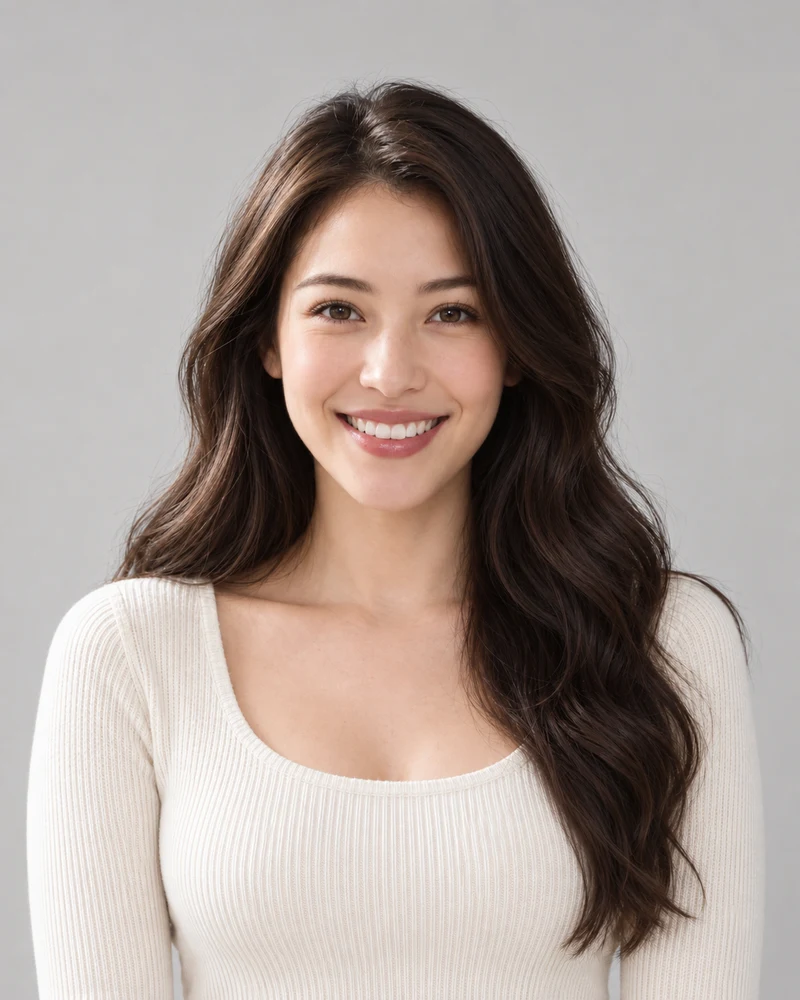
The approved female model with her original dark brown waves

Original

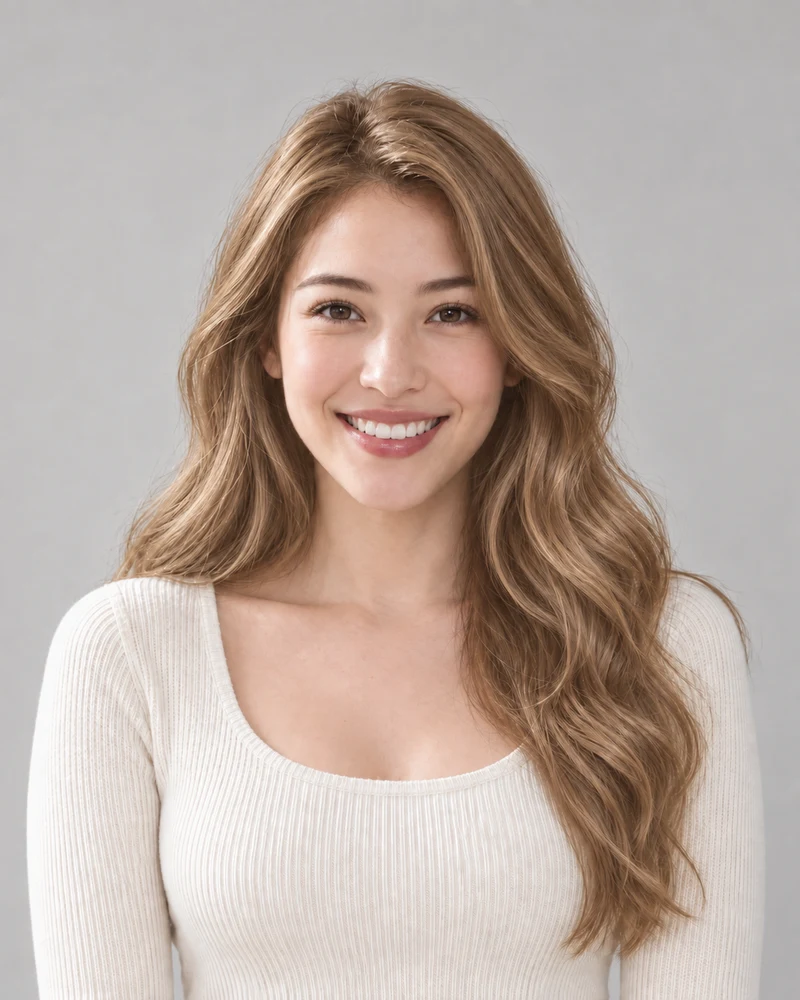
The same female model previewing Honey blonde with matching pose and lighting

Honey blonde

AI examples on one model. Your preview depends on your photo; it is not a prediction of a salon result.

Honey blonde

A soft golden blonde with a warm, honey-like glow. A useful starting point for comparing warmth with ash blonde.

Compare: honey blonde and ash blonde on the same photo.

Starting point

Level 3

Selected blonde

Honey blonde

Approximate depth difference: 5 levels lighter.

A visual depth guide, not a bleach formula or appointment estimate.

01 · THE STARTING POINT

Blonde Depth and Your Base

Move the scale to a rough match for your current hair. The selected blonde shows how much lighter or darker the visual target is.

  • Use dry hair in even daylight to judge your starting shade.
  • Color history and hair condition need a separate salon assessment.
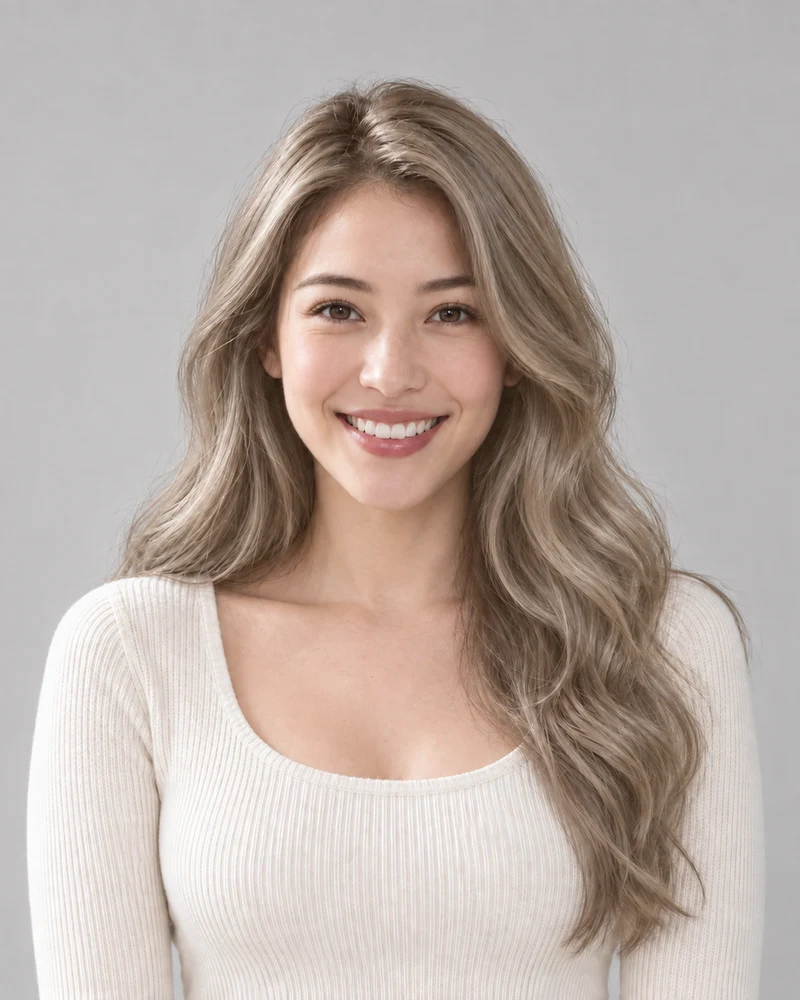
A close crop of Honey blonde strands from the same model portrait
Honey blonde
A close crop of Ash blonde strands from the same model portrait
Ash blonde
Matching crops from the same model, with no added color filters.

02 · A CLOSER LOOK

Warm and Cool Blonde Tones

Honey brings a golden cast; ash leans toward a muted beige-gray. These matching crops make the difference easier to see in the strands.

  • Compare both colors on the same photo before judging the tone.
  • Your preference matters; skin tone alone does not decide the result.
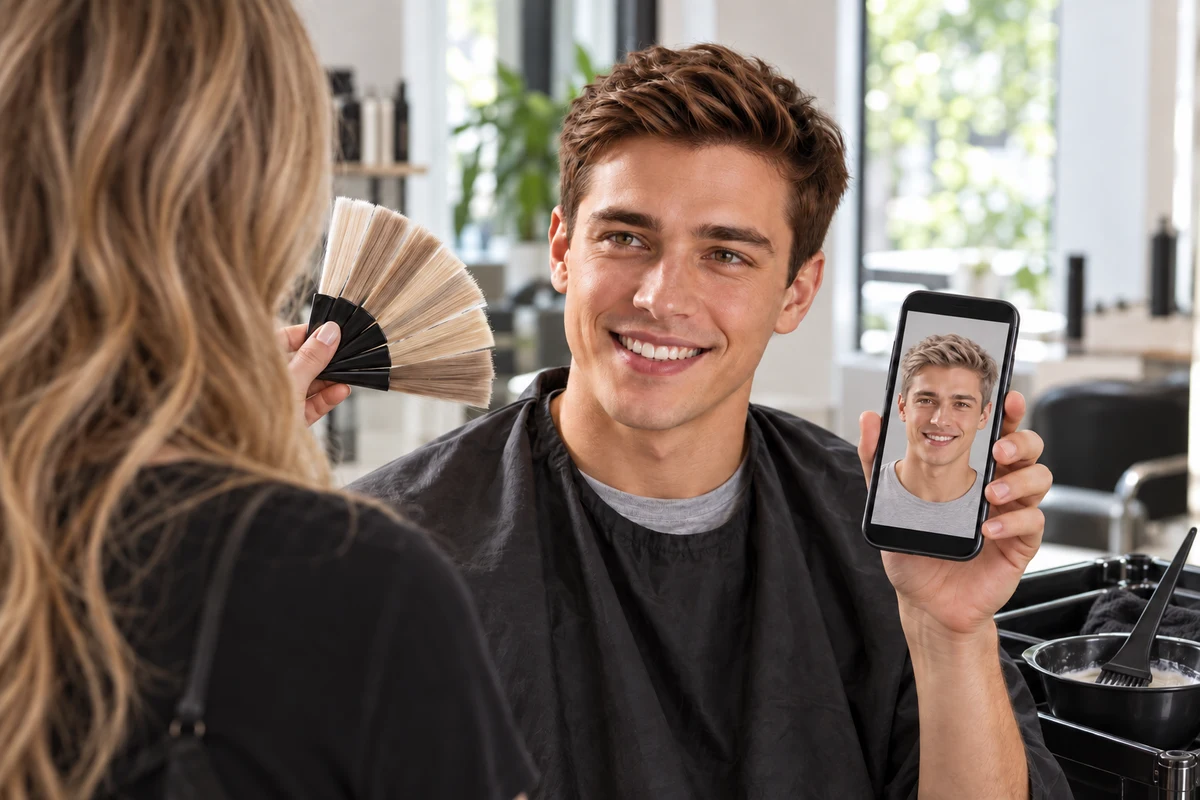
The approved male model discussing a blonde photo preview and hair swatches with a colorist
An AI illustration of a hair color consultation.

03 · YOUR NEXT CONVERSATION

Blonde Ideas for Your Salon

Save a preview you like and use it to explain the depth and tone you have in mind. Keep your original photo alongside it.

  • Describe the shade you want and any previous coloring.
  • Ask your colorist about an achievable plan and ongoing care.

Your Blonde Preview in Three Steps

One photo, one selected shade, and an original to compare with.

1

A Clear Starting Photo

Upload an evenly lit portrait with your hair fully visible, or choose a sample.

2

Your Selected Blonde

Choose one of six shades. Review the credit cost before generating your preview.

3

A Side-by-Side Decision

Compare the result with your original and download a reference to keep.

Blonde Hair Filter Details

Photo tips, shade choices and what to expect from a preview.

Upload a portrait, select a blonde shade and generate a preview. Use the result comparison to inspect the change against your original.

Honey and golden blonde have a warmer direction; ash and platinum are cooler. Try contrasting shades on the same photo rather than treating a skin-tone label as a rule.

The preview can illustrate a lighter target on a dark-haired photo. It does not assess hair condition or determine the steps needed to achieve that color in a salon.

The edit aims to change hair color while retaining your appearance. AI may alter small details, so compare your face, brows, hairline and texture with the original.

Lighting, image quality and hair visibility affect the result. The example photos are AI illustrations, and neither they nor your preview guarantee an exact real-world dye result.

Generate one selected shade at a time on this page. To keep up to four color results together, use the Hair color try-on tool linked above.

Browsing shades is free. Photo generation uses credits; check the amount shown on the generate button and your account balance before starting.

You can upload a male portrait or choose the male sample. Use a clear image with the hair visible so you can compare the color with your brows and facial hair.

These six options are overall blonde shades. Use Highlights for placed streaks or balayage, and Hair color simulator to explore a custom color direction.

Use an in-focus portrait in even light, with roots and lengths visible. Strong colored lighting, hats and heavy filters can make the shade harder to judge.

Still have a question? Email us at support@haircolorchangeai.com.

Your Next Blonde Starts with a Photo

Choose a blonde shade and see a preview before deciding on a change.