Save 30% yearly

Black Hair Filter — Find Your Shade

What would you look like with black hair? Try six dark shades on your photo, from jet black to black cherry, and compare each with your original.

No photo handy? Try a sample:

Choose a Dark Shade

All 59 shades and custom colors

Selected:Jet black

Use a clear, evenly lit photo with your full hair visible. Check the preview against your original.

6 dark shades · Your photo, your choice · Credits shown before generation

THE BLACK PALETTE

Six Dark Hair Shades on One Photo

Five blacks and a dark brown for comparison. Select a shade to see its depth and shine, then preview it on your own photo.

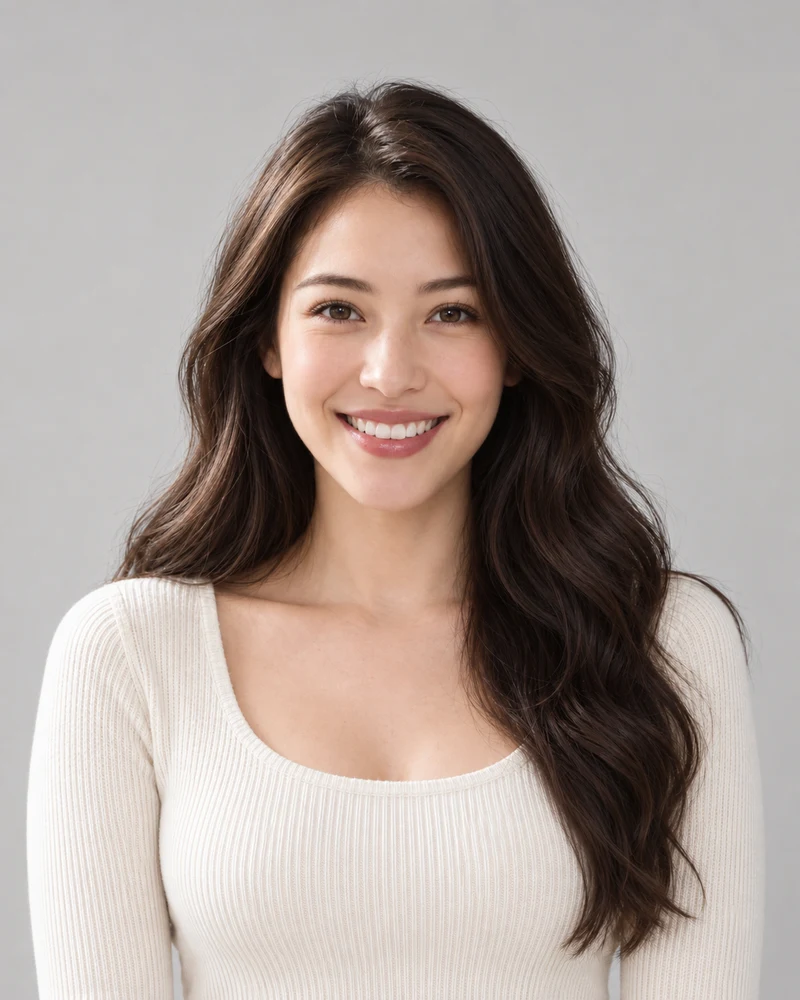
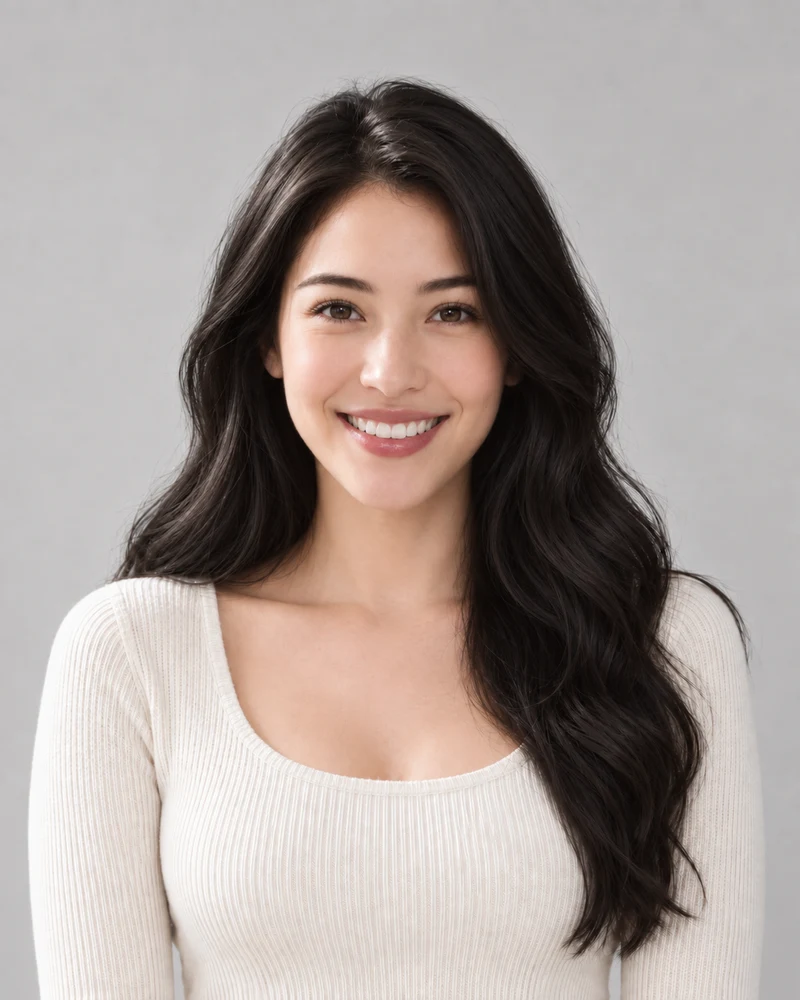
The approved female model with her original warm dark brown waves

Original

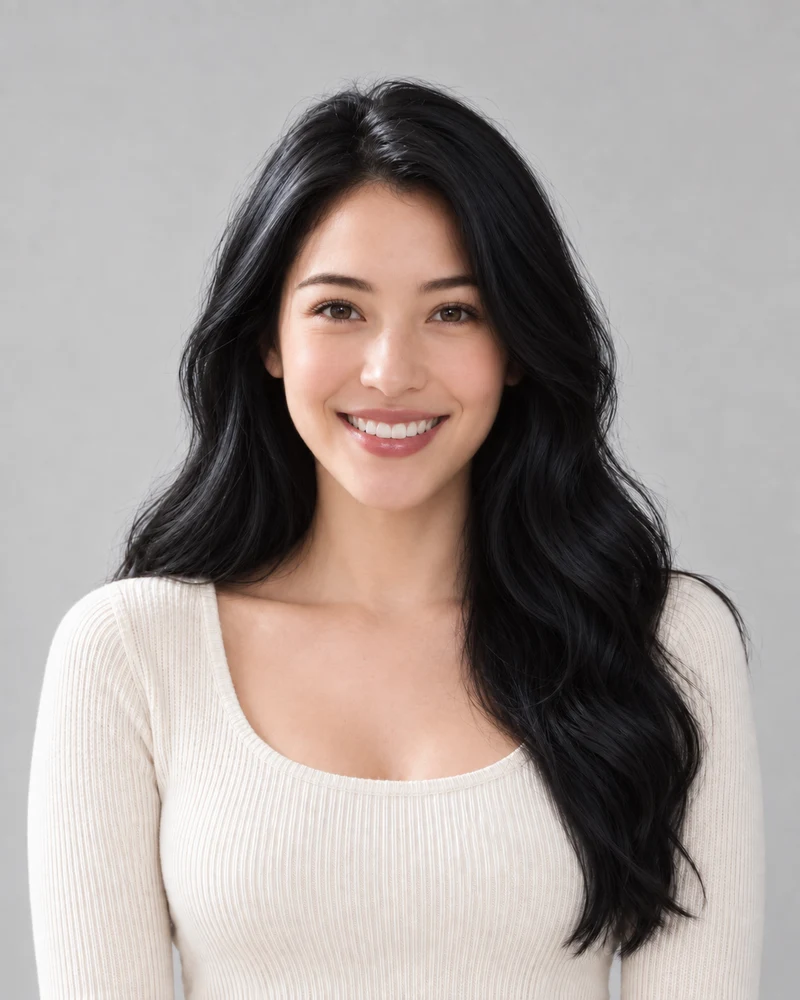
The same female model previewing Jet black with matching pose and lighting

Jet black

AI examples on one model, whose own hair is a warm dark brown. Your preview depends on your photo; it is not a prediction of a salon result.

Jet black

The deepest shade here: an even, glossy black with a cool blue shine in the highlights. Next to lighter or brown brows, it gives the strongest contrast of the six.

Compare: jet black and soft black to judge how much shine and contrast you want.

Depth from 1 (black) to 10 (lightest blonde): these six sit at levels 1–3.

Select a shade to update the palette above.

Shade depth and undertone at a glance; your starting color can be different.

01 · DEPTH AND UNDERTONE

Black Hair Colors by Undertone

All six sit at the dark end of the depth scale, so undertone is what sets them apart: a cool blue shine, a slightly warm softness, brown depth or a cherry-red tint. Select a shade here to update the comparison and the tool above.

  • Jet black and blue-black are the deepest; dark brown is a little lighter than every black here.
  • Undertone is as much about preference as skin tone; try two directions on the same photo.
A close crop of Jet black hair beside the brows, from the same model portrait
Jet black
A close crop of Soft black hair beside the brows, from the same model portrait
Soft black
Matching crops from the same AI examples, with no added color filters.

02 · NEXT TO THE FACE

Black Hair and Brow Contrast

Black sits right beside the face, so the difference between hair and brows is part of the look. In these same-model crops her brows stay the same dark brown: jet black reads deeper and cooler than them, while soft black stays closer.

  • The edit aims to keep the brows in your photo as they are, so check the contrast in your own preview.
  • Next to brown brows, soft black and brown-black sit closer; jet black gives the strongest contrast.
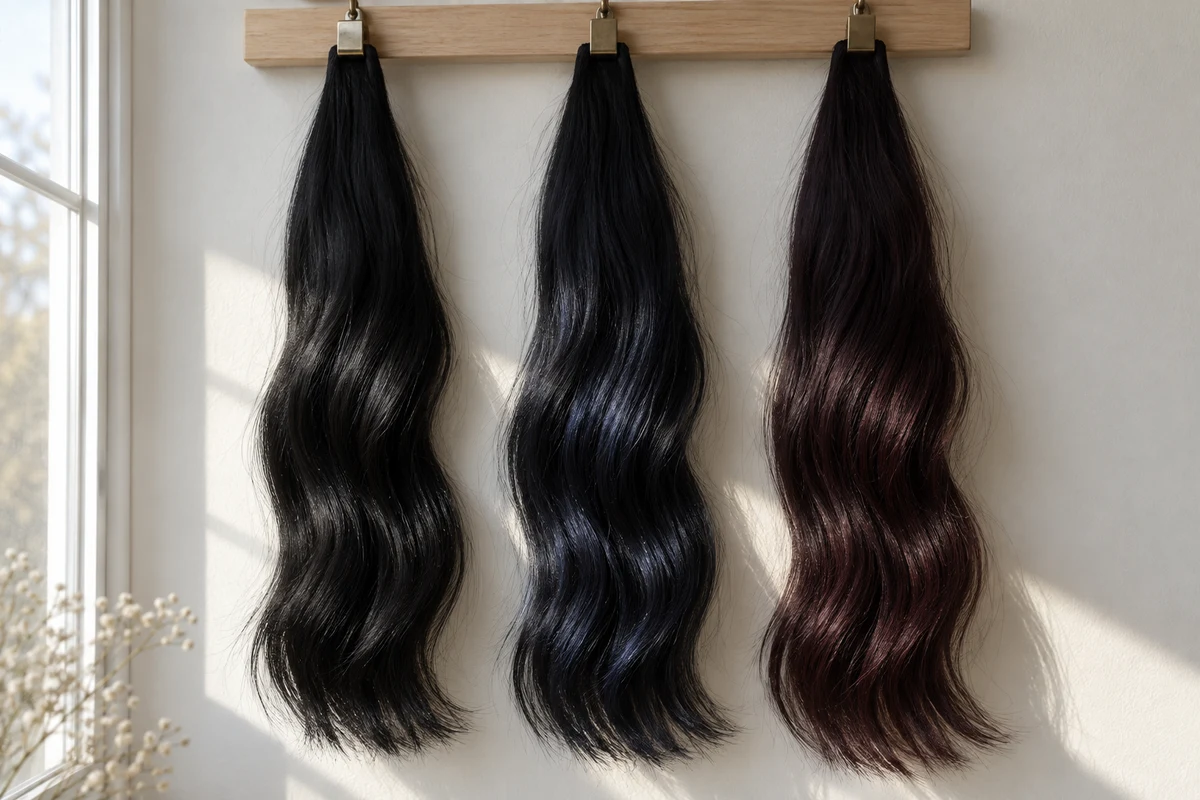
Jet black, blue-black and black cherry hair swatches side by side, showing a navy sheen and a deep red glint where daylight falls
An AI illustration of three black swatches in light and shade.

03 · LIGHT AND SHADE

Good Light for a Dark Hair Filter

The blue in blue-black and the red in black cherry show where light hits the hair; in shade, the blacks look much alike. The preview follows the light in your photo, so an evenly lit portrait gives shine and tint room to show.

  • Face soft daylight; avoid strong backlight, hats and colored lamps.
  • A screen preview and a physical swatch are different references; neither guarantees a dye result.

Preview Black Hair in Three Steps

One photo, one selected shade, and an original to compare with.

1

A Clear, Evenly Lit Photo

Upload a portrait with your hair fully visible and out of shadow, or choose a sample.

2

Your Selected Shade

Choose one of five blacks or dark brown. Review the credit cost before generating your preview.

3

A Side-by-Side Decision

Compare the result with your original and download a reference to keep.

Black Hair Filter Details

Photo tips, shade choices and what to expect from a preview.

Upload a portrait, select one of the six dark shades and generate a preview. Use the result comparison to check the black against your original photo.

Jet black is the deepest, with a cool blue shine; soft black is slightly warm with softer highlights. Try both on the same photo and look at the contrast with your brows and skin; your preference matters as much as any skin-tone rule.

Both are near-black shades defined by a tint: a navy sheen for blue-black, a deep cherry red for black cherry. The tint shows mostly where light hits the hair, so in a dim or shadowed photo they can look close to jet black. An evenly lit photo shows the difference best.

The preview can show a black target on a light or previously colored photo. It does not assess your hair's history or condition. Before committing, ask a colorist how black will take on your hair and what changing it later would involve.

A preview shows the overall shade on your photo; it can't tell how gray strands will take dye in real life. If you have gray, mention it to your colorist and ask how each black would cover or blend it.

The edit aims to change hair color while keeping your brows, face and background as they are, so the hair-to-brow contrast you see comes from your own photo. AI may alter small details; compare your face, brows, hairline and texture with the original.

This dark hair filter edits a still photo instead of a live camera feed, so you can compare the result with your original and save it. Lighting and image quality still affect how a black reads.

Browsing shades is free. Photo generation uses credits; check the amount shown on the generate button and your account balance before starting.

Upload a male portrait or choose the male sample. Compare the result with your brows and any facial hair, which the edit aims to keep as they are.

These six options change the overall hair color only. To try short haircuts or other hairstyles, use the AI hairstyle changer; to explore a custom dark shade, use the Hair dye simulator.

Still have a question? Email us at support@haircolorchangeai.com.

See Yourself with Black Hair

Choose a shade of black and see a preview before deciding on a change.