


Your virtual mullet preview
Mullet Filter — Try a Fake Mullet
Preview a modern, taper, burst fade or 80s mullet on your photo. See the shape before you spend months growing out the back.
No photo handy? Try a sample:
Choose a Mullet for Your Photo
Selected:Modern mullet
Designed to change only your haircut while keeping the rest of your look.
6 mullet styles · Straight, wavy, curly and coily hair · Free credits for new accounts
The mullet edit
Explore 6 Modern and Classic Mullets
Compare the length, sides and upkeep of each mullet. Five men's looks share one portrait; the women's shag mullet uses a separate example.


Modern mullet
The everyday mullet: textured on top, longer at the nape.
- Front and back
- Short, choppy layers and a piecey fringe up front; the back falls just past the collar.
- The sides
- Cut short and close around the ears, usually with scissors or a low taper.
- Upkeep
- A little matte paste adds texture; a tidy-up every four to six weeks keeps the shape.
Fake Mullet Before & After on 3 Hair Types
Compare AI-created mullet previews on natural coils, long hair and a short crop. Drag each slider to see the change.


Burst Fade Mullet on Natural Coils
Coils on top, a fade curving around each ear and longer coils at the nape. Check how the curl pattern carries into the back.
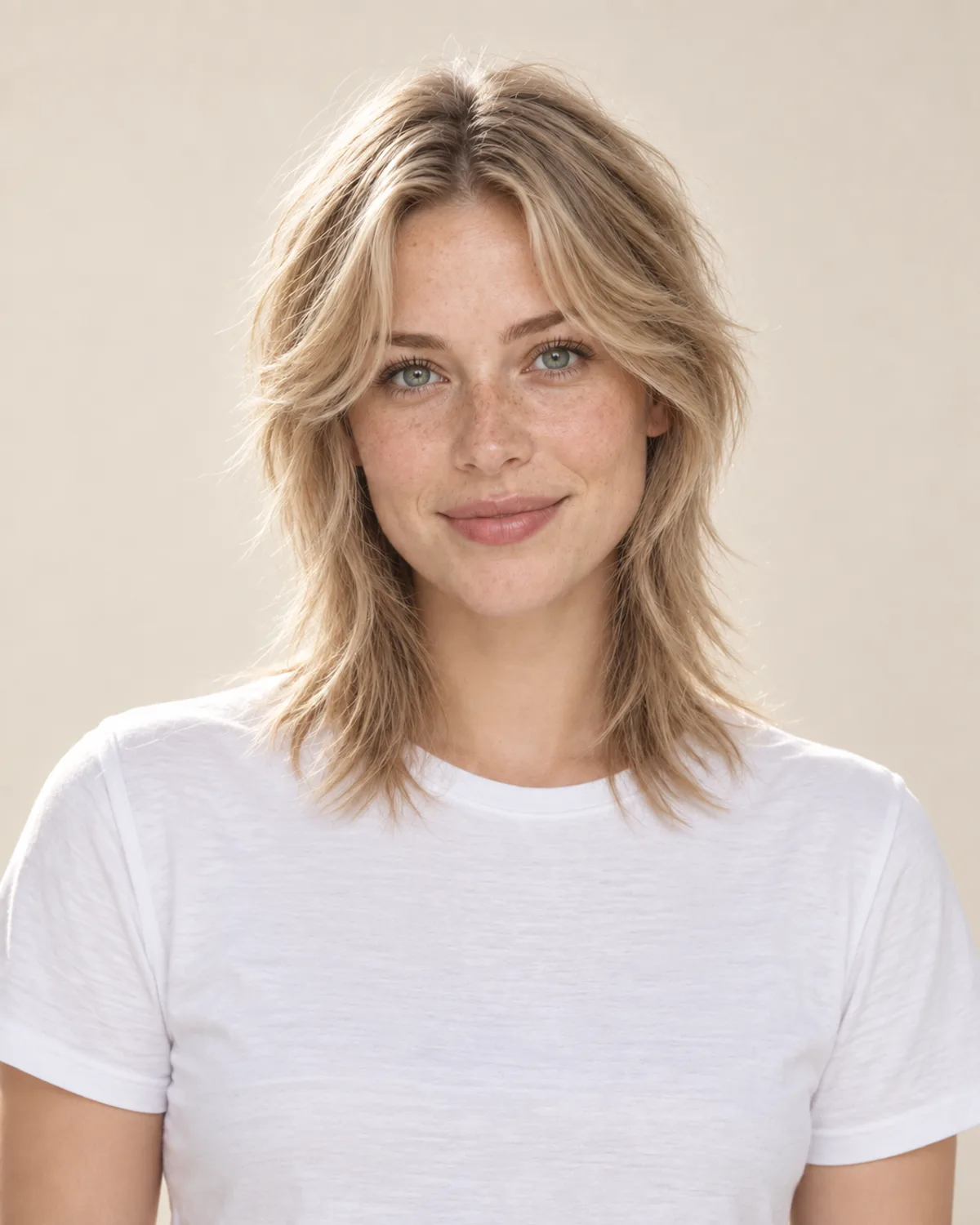
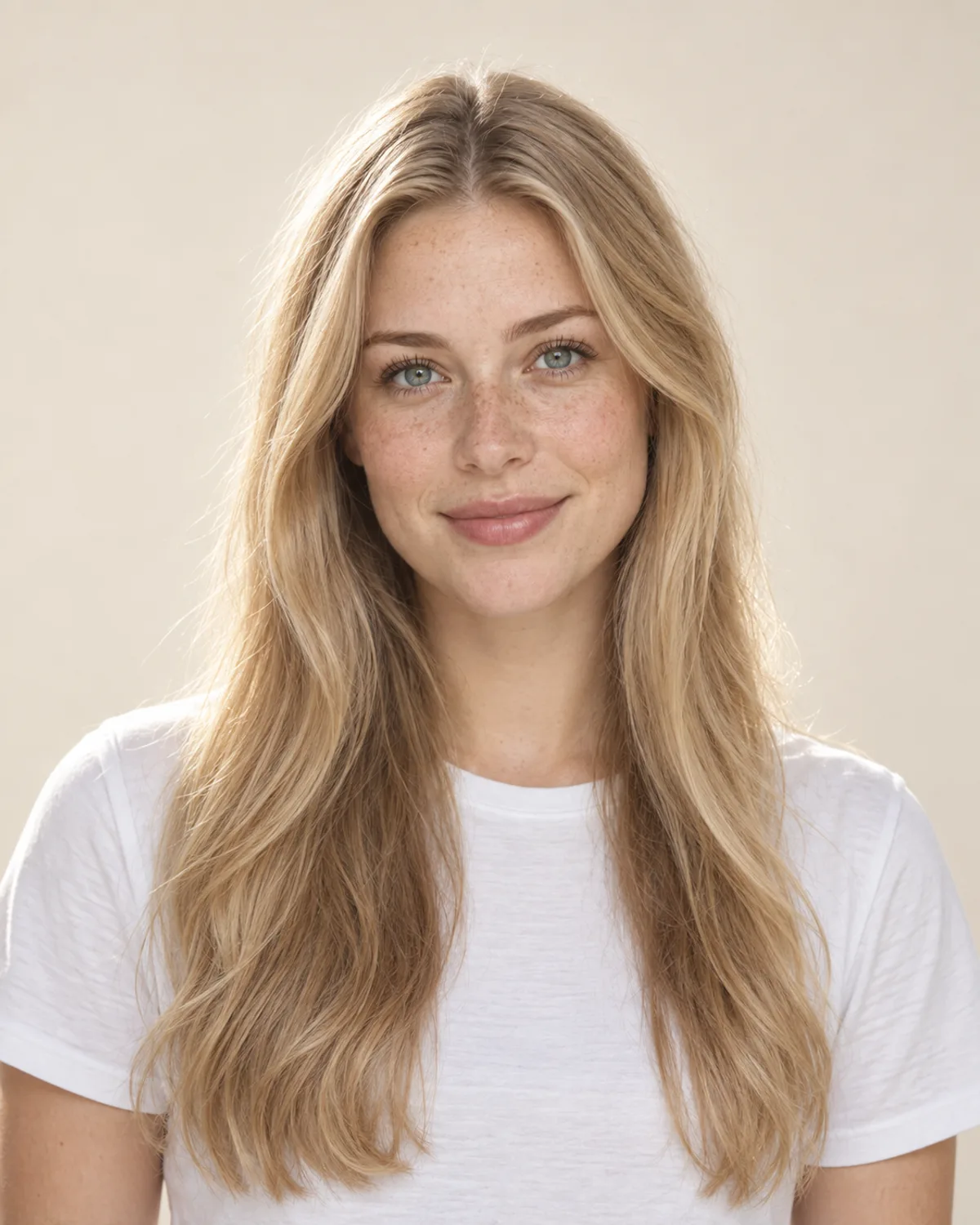
Shag Mullet Cut from Long Hair
Choppy crown layers, a curtain fringe and a longer back. Starting from long hair, a stylist can usually cut this without any grow-out.


Modern Mullet Previewed on a Short Crop
The preview adds length at the nape so you can judge the shape early. It shows the finished cut, not how your hair will grow.
Plan Your Mullet Haircut with 5 Checks
A mullet is quick to cut off but slow to grow. Check these details before you start growing out the back or book a barber.
Most mullets need noticeably more length at the nape than at the sides. Hair grows roughly 1–1.5 cm (about half an inch) a month, so from a short cut the back can take several months. Keep the top and sides trimmed meanwhile so the grow-out looks intentional.
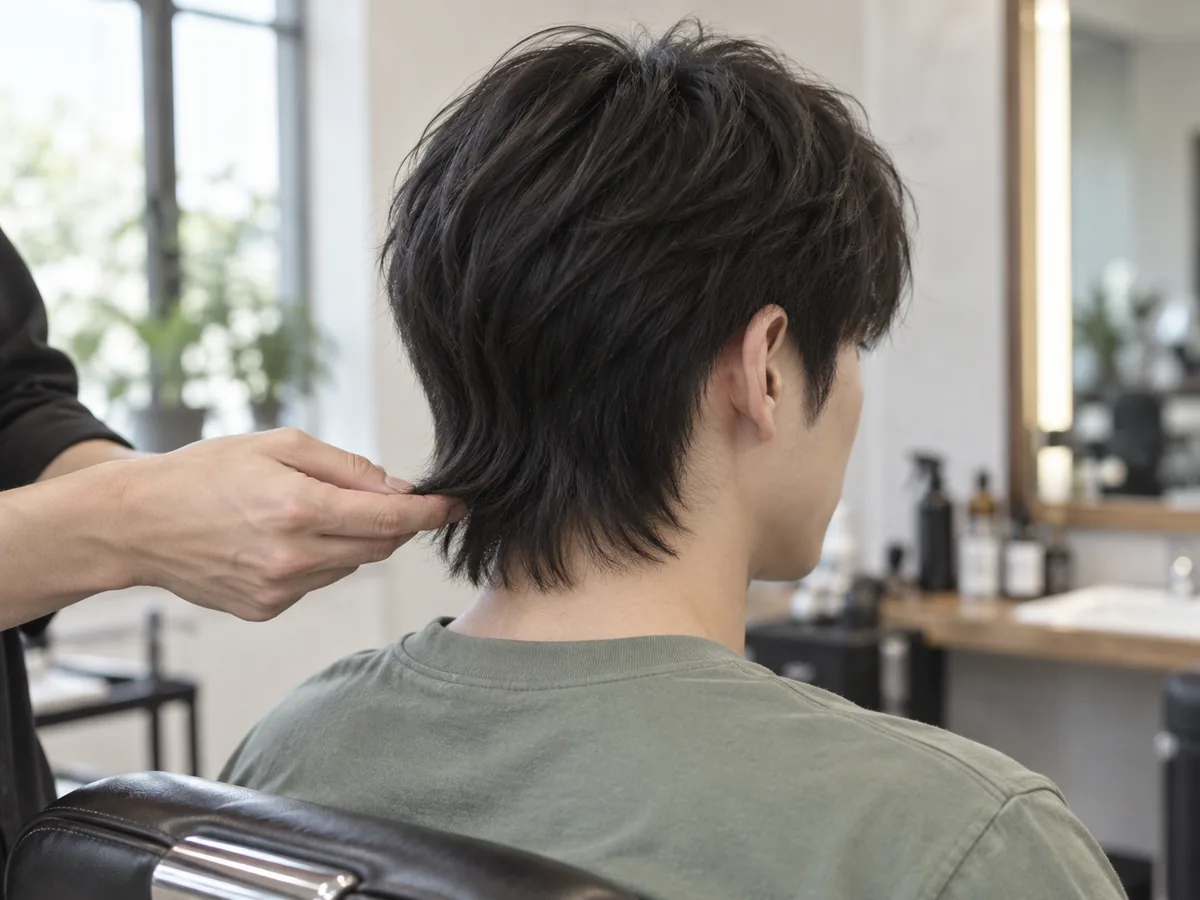
The extra length at the nape is what takes time. A preview shows the finished shape, not how fast your hair grows.
Straight hair gives a sleek line, waves add movement and curls add volume at the back. Curls and coils shrink as they dry, so ask for the back a little longer than you want it to look.
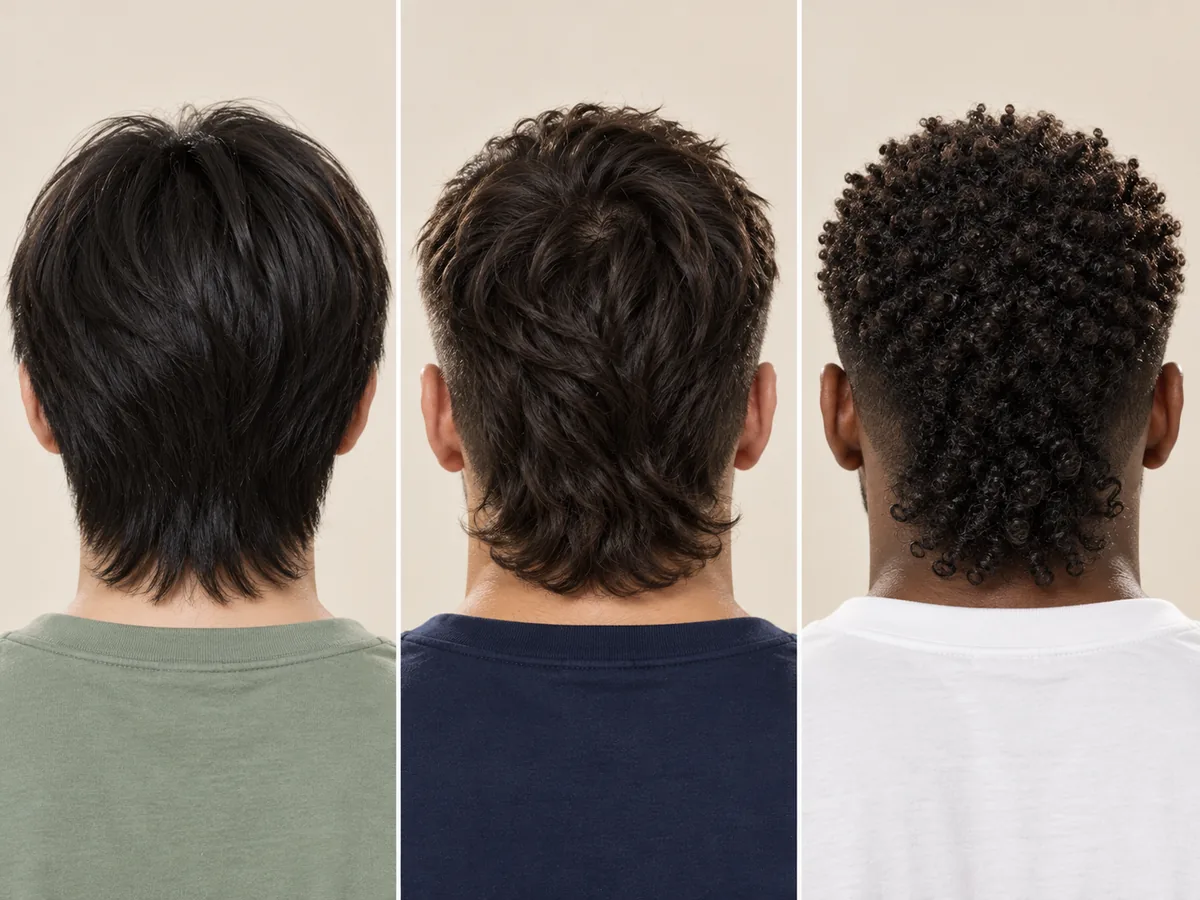
One cut, three textures. Notice how the back falls, bends or coils.
A burst or skin fade gives the sharpest contrast but usually looks grown in after two to three weeks. A soft taper or scissor-cut sides grow out more gently between barber visits.
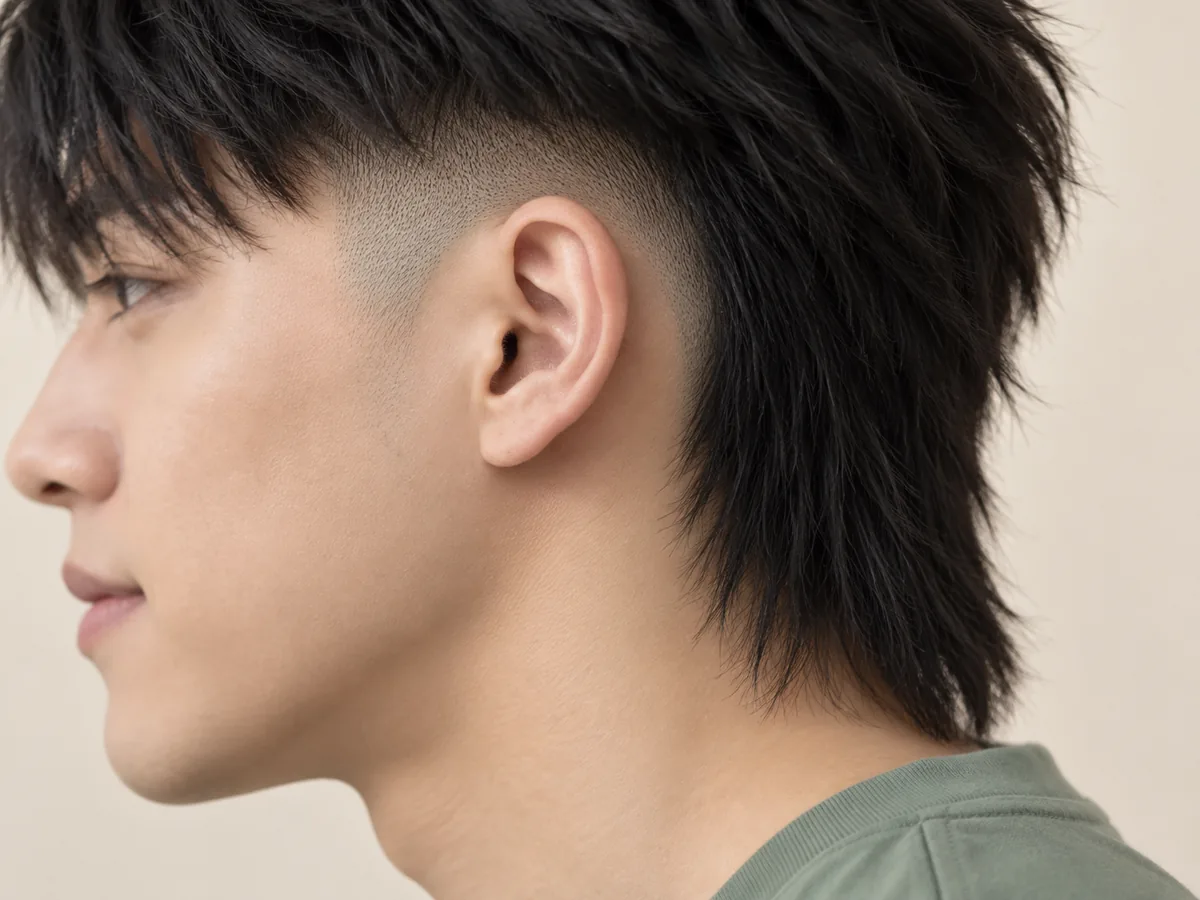
Where the fade stops behind the ear decides how much length stays at the back.
Choppy layers on top usually need a little matte paste or sea-salt spray to look piecey. A mohawk strip needs lifting every morning, while a taper mullet can simply be finger-dried.

A small amount of product, worked through dry hair, separates the layers on top.
Some jobs and uniforms ask for hair above the collar. A taper mullet or a short modern mullet reads as a longer short cut, so check the rules before you commit to the back.

How to try on a mullet
Try a Fake Mullet in 3 Simple Steps
Upload a photo, choose a mullet and compare your preview.
Step 01
Start with a Clear Photo That Shows Your Neck
Use a front-facing portrait with even light, your hair off your face and your ears and neck visible. You can also start with a sample photo in the tool.
- Even light, ears and neck visible, no hats.
- JPG, PNG or WebP · Up to 10 MB

Step 02
Choose the Mullet You Want to Preview
Choose from six styles, from a subtle taper mullet to a classic 80s cut. Generate a preview to see the shape on your photo.
- Modern, taper, burst fade and more.
- Select a style, then generate your preview.

Taper mullet

Burst fade mullet

Classic 80s mullet
Step 03
Compare the Cut and Save a Favorite
Compare your preview with the original, then download a result to keep or to show your barber.
- Compare the sides, the top and the back.
- Save a result, or try another mullet.
Before After
After
AI-created illustrations. Your preview will depend on your photo.
Beyond the preview
Take Your Mullet Preview to the Barber

Save a preview and talk through these four details with your barber, so the cut suits your texture, hairline and the way your hair grows.
Length at the Nape
Show how far past the collar you want the back to fall. A photo of a back view helps too.
Fade or Taper on the Sides
Agree how short the sides go and where the fade stops behind the ear.
Layers and Fringe on Top
Point out how choppy the top should be and where the fringe sits.
A Grow-Out Plan
If your hair is short now, ask what to keep trimming while the back grows.
Mullet Filter Tips and Common Questions
Preview details, credits, photo tips and grow-out time.
Upload a photo, choose a mullet and select Give me a mullet. Compare the preview with your original or try another style. The filter edits the photo you upload rather than laying a live camera effect over your head. AI previews help you explore a look; the final haircut depends on your real hair.
New accounts receive free credits to try the tool. Generating previews uses credits; check the amount shown in the tool before generating. You can review additional credits on the pricing page.
The classic 80s mullet is short and fairly flat on top, with a long, heavy back that reaches the shoulders. A modern mullet is softer: choppy layers and a short fringe on top, often a taper or fade at the sides, and a back that ends around the collar. The taper, burst fade and shag mullets are all modern variations.
Hair grows roughly 1–1.5 cm (about half an inch) a month, and the rate varies from person to person. From a short cut, a collar-length mullet often takes a few months and a shoulder-length 80s mullet much longer. The preview shows the finished length; it does not predict how your hair will grow or how long it will take.
Curly and coily mullets, often with a burst fade, are popular versions. The edit is designed to follow your existing texture, but AI results can vary, so check the curl pattern in your preview. Curls shrink as they dry, so ask your barber for the back a little longer than you want it to look.
Choose Shag mullet to preview choppy crown layers, a curtain fringe and a longer back. Its example uses a separate women's portrait. Starting from medium or long hair, a stylist can usually cut it without a grow-out, and you can try any style on this page on your own photo.
The tool is designed to change the length and shape of your haircut while keeping your hair color, texture, face and background. Generative edits may introduce small differences, so compare the result with the original before deciding which preview to keep. To try a new shade, use the hair color try-on instead.
Use a sharp, front-facing photo with even light, your hair off your face and your ears and neck visible. Avoid hats, hoods and heavy shadows. The preview shows the back from the front, so bring your barber a photo of the back you like as well. The tool accepts JPG, PNG and WebP files up to 10 MB.
Still have a question? Email us at support@haircolorchangeai.com.
Explore More Cuts, Lengths and Styles
Preview another cut, a longer length or a buzz.



See What You'd Look Like with a Mullet
Choose a mullet, compare your preview and save a reference for your next barber visit.
Free credits for new accounts · Previews use credits